Lead capture and follow-up
Capture every enquiry, follow up over WhatsApp, and measure conversion.
Kythro's lead pipeline captures every new enquiry from web forms, walk-ins, or referrals, attributes them to a source, and tracks follow-up status until the lead becomes a patient. Conversion rate by source is on the dashboard.
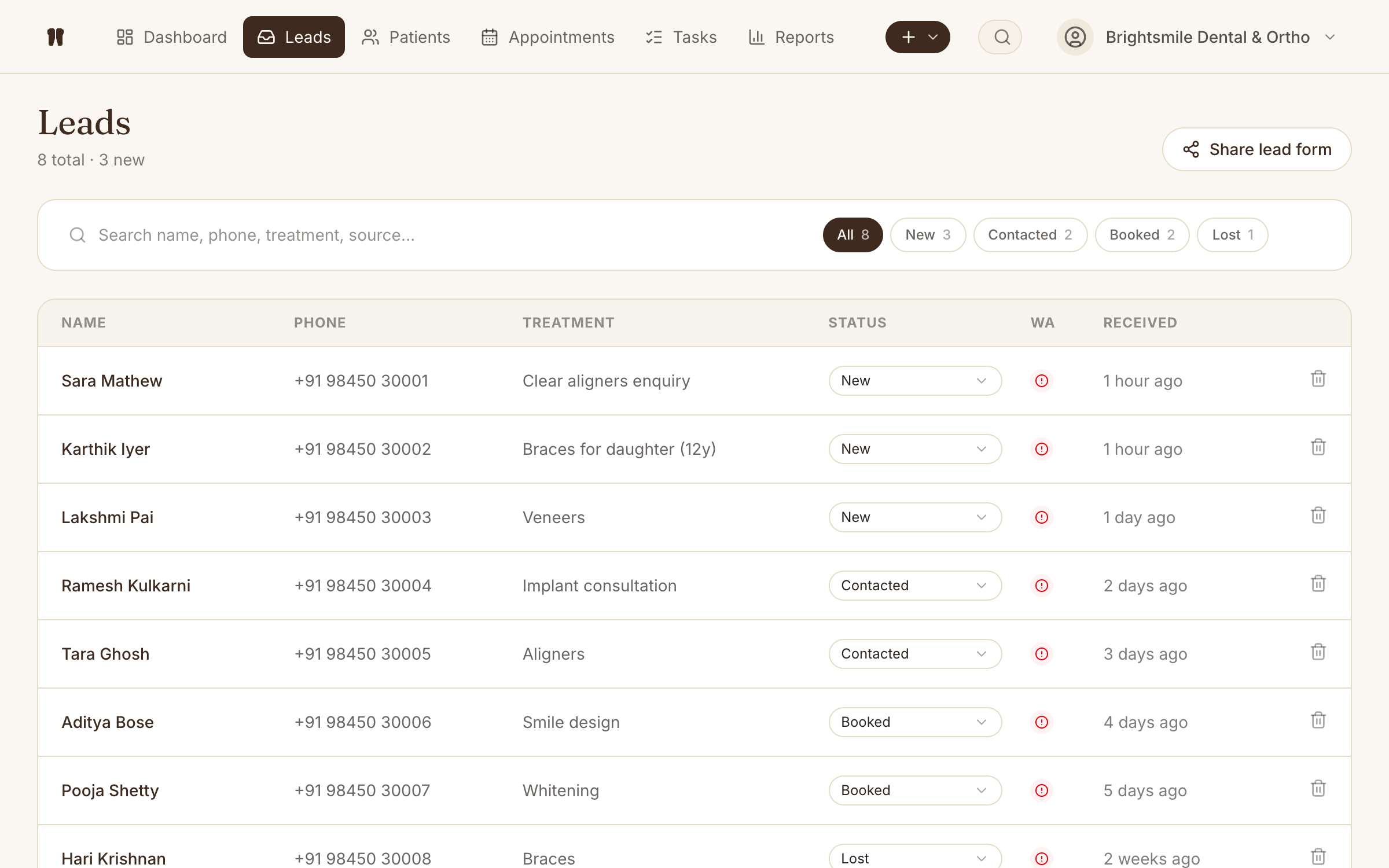
The problem this removes
Enquiries scribbled on sticky notes never get followed up, and there is no honest answer to the question "what is our conversion rate?".
How Leads works in Kythro
- •Capture leads from web forms, walk-ins, calls, or social
- •Source attribution: web, referral, walk-in, social, etc.
- •WhatsApp follow-up thread per lead
- •Convert lead to patient with one click
- •Conversion rate by source on the dashboard
Questions about Leads
How does Kythro track lead conversion?
When a lead is converted to a patient, Kythro preserves the original source, capture date, and follow-up history. The dashboard reports conversion rate by source so you can see which channels actually pay back.
Can leads be reassigned to a different team member?
Yes. Leads can be reassigned at any time, and the activity log preserves who handled each step.
Related features
WhatsApp messaging
Send appointment reminders, follow-ups, and lead replies via the WhatsApp Cloud API.
Referrer management
Track referring doctors, sources, and how much business they actually send.
Dashboard and KPIs
Today, tomorrow, leads, revenue, recall queue, and conversion in one screen.
Patient records
A complete digital chart for every patient, accessible from anywhere.
Ready to run leads on Kythro?
Start a free 30 day trial. No credit card required.